
Support Channels
Configure and manage your communication channels in Interflow.
Overview
Interflow supports multiple communication channels, allowing you to centralize all customer support in a single platform.
Available Channels
WhatsApp
| Integration | Description | Recommended for |
|---|---|---|
| WhatsApp Business API | Official Meta integration | High volume companies |
| WhatsApp WAHA | Via QR Code session | Small businesses |
Instagram
| Integration | Description |
|---|---|
| Instagram Direct | Direct messages and comments on the chosen posts |
Facebook
| Integration | Description |
|---|---|
| Facebook Messenger | Facebook page messages |
Email
| Integration | Description |
|---|---|
| Email IMAP/SMTP | Email server integration |
Telegram
| Integration | Description |
|---|---|
| Telegram Bot | Direct messages and groups from a bot |
Channel Comparison
| Feature | WhatsApp API | WhatsApp WAHA | |||
|---|---|---|---|---|---|
| Text messages | |||||
| Images | |||||
| Videos | |||||
| Audio | |||||
| Documents | |||||
| Location | |||||
| Templates | |||||
| Groups |
Adding a Channel
General Step by Step
- In the left sidebar, click Channels
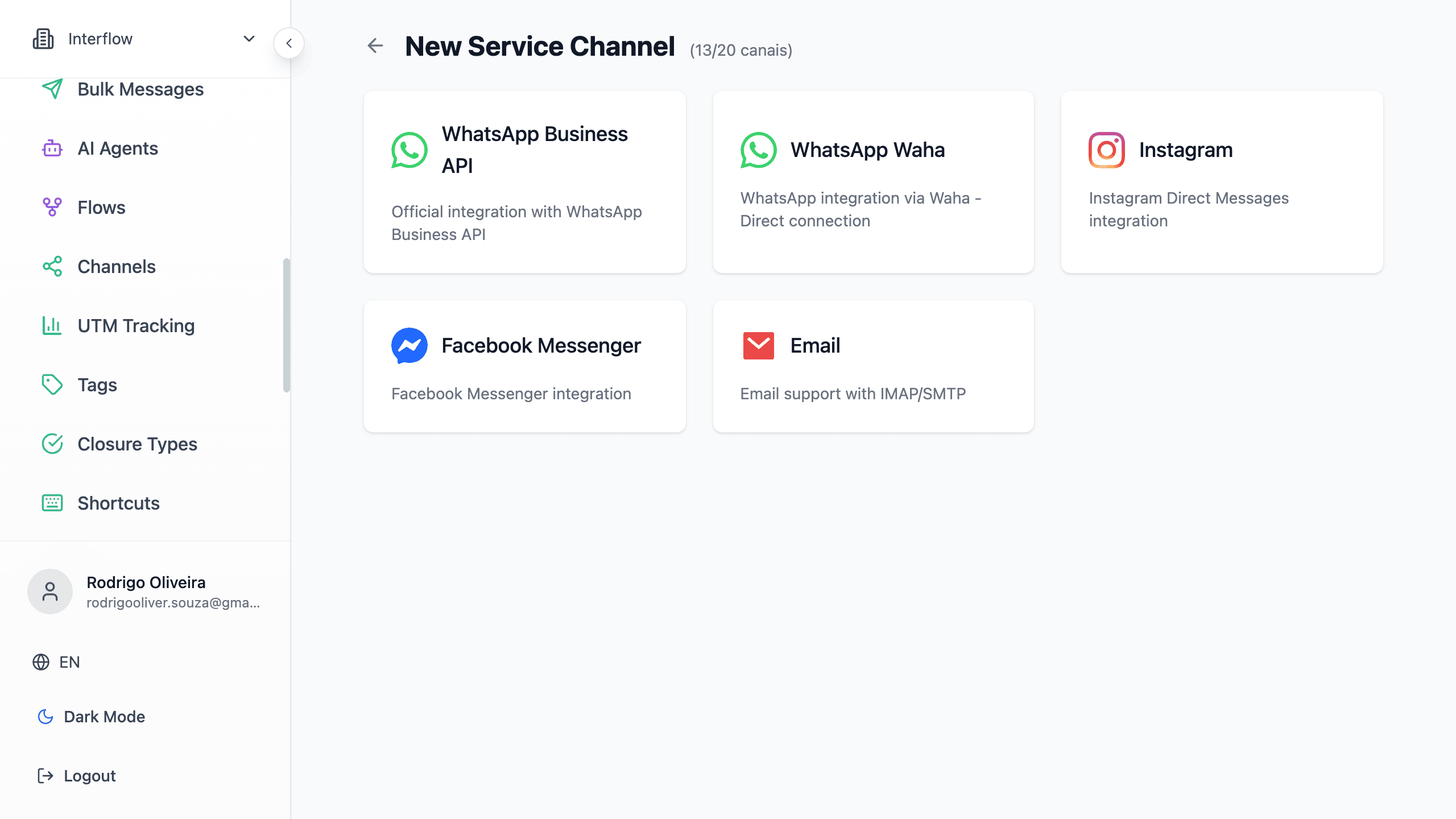
- Click New Channel at the top of the list. It opens the type picker (
/app/settings/channels/new). Only the owner and admins see this button. If the plan channel limit is reached, the button is disabled and the page asks to change the plan. - Choose WhatsApp (Business API or WAHA), Instagram, Facebook, or email
- Follow the specific instructions for each type
- Test the connection
Channel Status
Each channel has status indicators:
| Status | Meaning |
|---|---|
| Connected | Channel working normally |
| Reconnecting | Trying to reestablish connection |
| Disconnected | Channel offline, needs action |
On WhatsApp WAHA, the channel can stay connected (green) and show an amber badge if WhatsApp restricted new contacts. Existing chats keep working. Details: New-contact restriction.
If an already connected WAHA channel goes offline, the owner and admins get a push with the name and number. Details: Reconnection.
Audio transcription
Channels can automatically convert audio to text, with separate controls for customer, agent, and (on WAHA) groups.
Guide: Audio transcription
Team rotation
In the channel panel, enable Team rotation and build an ordered list (at least two teams).
- New contacts arriving via webhook get the next team in the queue
- The channel default team remains the fallback if the queue becomes invalid
- After the pick, the destination team's settings apply: if it has people rotation, a member is assigned or reserved; otherwise the chat stays pending for anyone to take
- Transfer and Leave attendance include an option to send the chat to the channel rotation instead of picking a team
The organization can decide whether agents may pick a team or can only send to rotation under Settings.
Changelog: v2026.9.9
Default sale price
In the channel panel, Default sale price sets the Sale price of new customers created from that channel.
- It applies to inbound messages, started conversations, and Facebook, Instagram, and WAHA leads
- An existing customer is not changed
- Manual CRM registration, with no channel, does not use this value
- An empty field applies no price. After creation, the price can still be edited on the customer
Changelog: v2026.10.8
Visibility when starting a conversation
Define who can use each channel when starting a new conversation with a customer (everyone, by role, specific users, or by team). Auxiliary channels are not included in that list.
Full guide: Restrict channels when starting a conversation
Next Steps
Choose the channel you want to configure: