
Introduction
Welcome to the official Interflow documentation – your complete multichannel customer service and CRM platform.
What is Interflow?
Interflow is a SaaS platform that centralizes all your customer communication channels in one place. With it, you can:
- Serve customers from WhatsApp, Instagram, Facebook, and Email
- Automate conversations with visual flows and AI agents
- Manage relationships with a complete CRM
- Organize work with projects, task boards, and My Tasks
- Schedule services with an integrated calendar system
- Control finances of your operation
- Analyze metrics with real-time dashboards
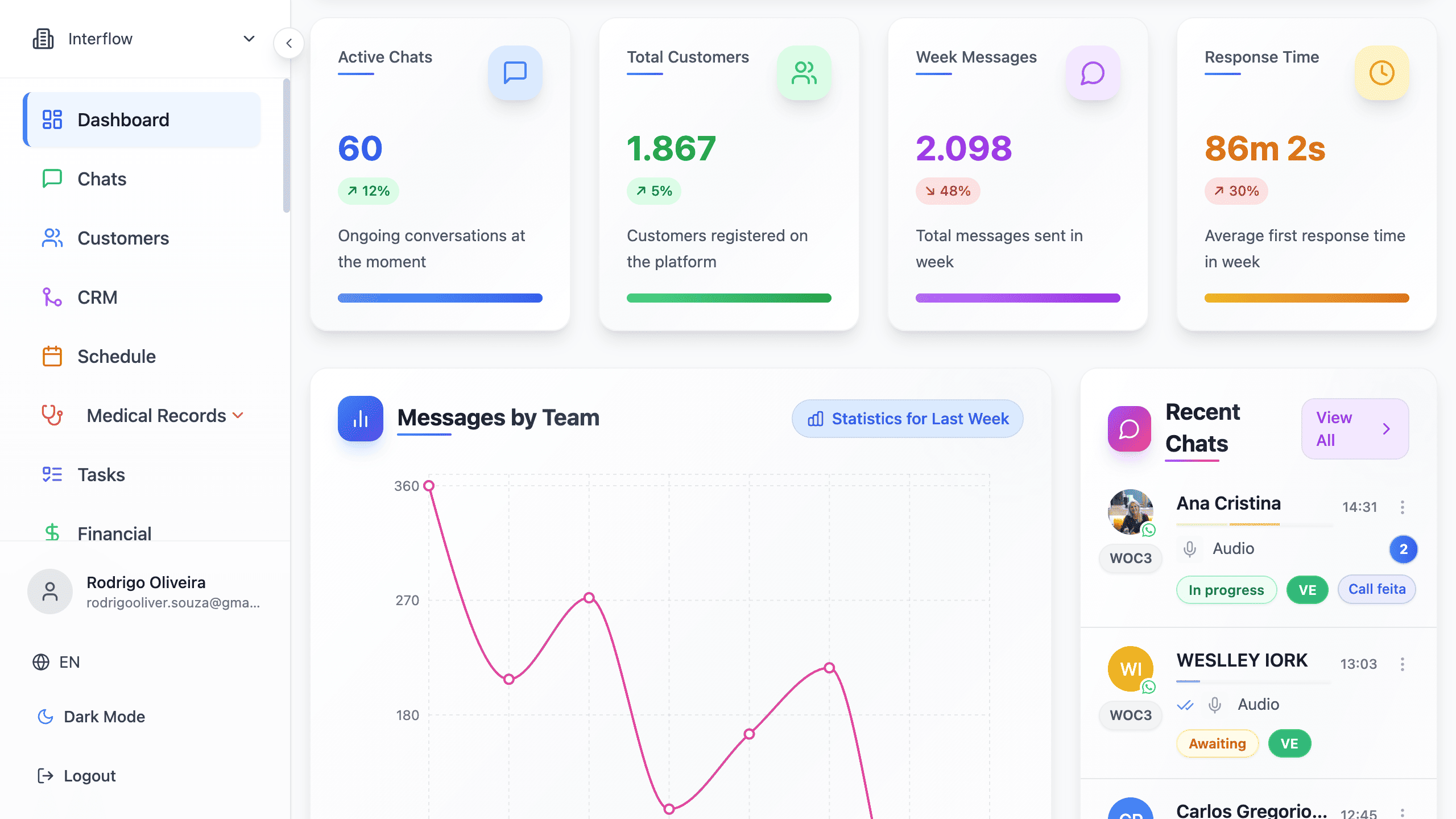
Who is Interflow for?
The platform was developed for companies that:
- Receive high volume of messages
- Have a customer service team
- Need to centralize multiple channels
- Seek to automate repetitive processes
- Want to improve customer experience
Most Common Segments
| Segment | Use Cases |
|---|---|
| E-commerce | After-sales service, tracking, support |
| Clinics and Offices | Scheduling, confirmations, reminders |
| Real Estate | Lead capture, follow-up, qualification |
| Schools and Courses | Enrollments, student communication |
| Retail | WhatsApp sales, catalog, orders |
| Services | Quotes, scheduling, follow-up |
Main Features
Multichannel Support
Centralize WhatsApp, Instagram, Facebook, and Email in a single inbox. Your team serves customers in an organized way without switching between apps.
Included features:
- Unified inbox
- Complete conversation history
- Read and status indicators
- Attachments and media
- Internal notes between agents
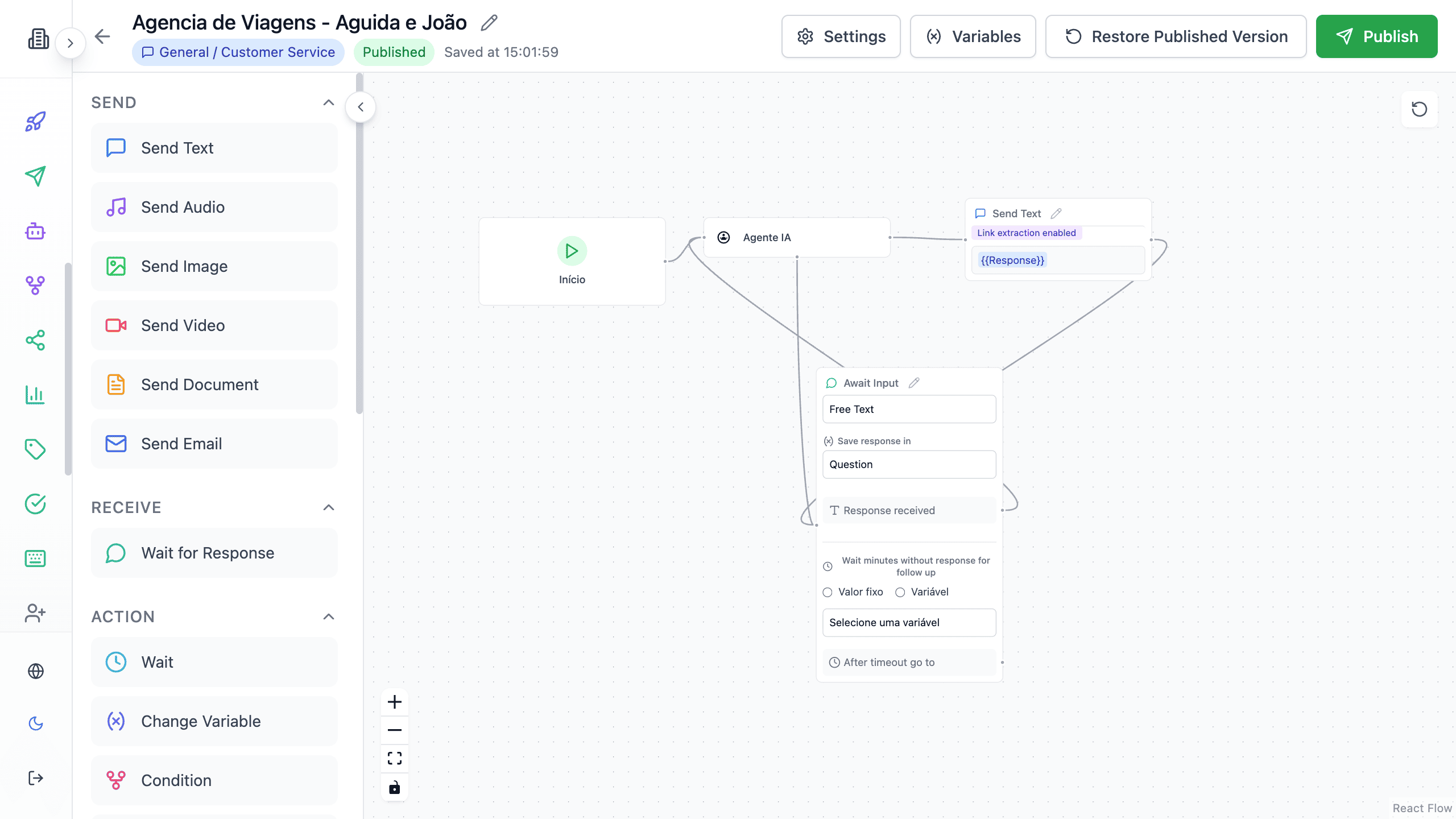
Automation with Flows
Build visual automations without coding. Our drag-and-drop editor allows you to create complex flows intuitively.
Available node types:
- Text and media messages
- Questions and data collection
- Conditions and logic
- Delays and timers
- Transfer to agent
- External API integration
- CRM actions
Integrated CRM
Manage your customers with advanced CRM features directly integrated with customer service.
CRM Features:
- Complete customer registration
- Custom fields
- Tags for segmentation
- Sales funnels (Kanban)
- Interaction history
- Tasks linked to the customer and the conversation
Tasks
Organize team work in projects with a visual board, list, and calendar — and track what is yours in My Tasks.
Includes:
- Board templates (by status, priority, sprint, or free)
- Project automations (status ↔ column)
- Creation from the conversation, with or without Generate with AI
- Subtasks, checklist, labels, and history
Tasks guide · Templates · Automations
Scheduling System
Offer online scheduling to your customers with an integrated calendar and automatic reminders.
Features:
- Availability calendar
- Multiple service providers
- WhatsApp/Email reminders
- Google Calendar integration
- Advance payment (optional)
Financial Module
Control your operation's finances with complete visibility of income and expenses.
Includes:
- Financial dashboard
- Transaction control
- Automatic categorization
- Reports and charts
- Cash management
POS (Point of Sale)
For operations that need direct sales, our integrated POS offers:
- Product registration
- Shopping cart
- Multiple payment methods
- Receipt issuance
- Inventory control
Platform Architecture
┌─────────────────────────────────────────────────────────────┐
│                        INTERFLOW                            │
├─────────────────────────────────────────────────────────────┤
│                                                             │
│  ┌─────────┐  ┌─────────┐  ┌─────────┐  ┌─────────┐        │
│  │WhatsApp │  │Instagram│  │Facebook │  │  Email  │        │
│  └────┬────┘  └────┬────┘  └────┬────┘  └────┬────┘        │
│       │            │            │            │              │
│       └────────────┴─────┬──────┴────────────┘              │
│                          │                                   │
│                   ┌──────▼──────┐                           │
│                   │   Backend   │                           │
│                   │   Node.js   │                           │
│                   └──────┬──────┘                           │
│                          │                                   │
│    ┌─────────────────────┼─────────────────────┐            │
│    │                     │                     │            │
│ ┌──▼──┐  ┌──────┐  ┌────▼────┐  ┌─────────┐  │            │
│ │ CRM │  │Flows │  │  Chat   │  │ Reports │  │            │
│ └─────┘  └──────┘  └─────────┘  └─────────┘  │            │
│                                               │            │
│                   ┌──────────┐                │            │
│                   │ Supabase │                │            │
│                   │PostgreSQL│                │            │
│                   └──────────┘                │            │
└─────────────────────────────────────────────────────────────┘System Requirements
For users
- Modern browser (Chrome, Firefox, Safari, Edge)
- Stable internet connection
- Interflow platform account
Next Steps
Now that you know Interflow, proceed to the next step: